Attributes that are added onto the form are interpreted automatically by Bizagi as a default control. This default control definition is based on the type of attribute selected.
In the Controls section we learned how to add the different types of controls. However, you may need to change the control type associated to a specific control already included in the Display area.
Bizagi provides a fast way to convert the control rather than having to remove and re-add another type of control.
To access the Convert To option, merely right-click the control you wish to transform.
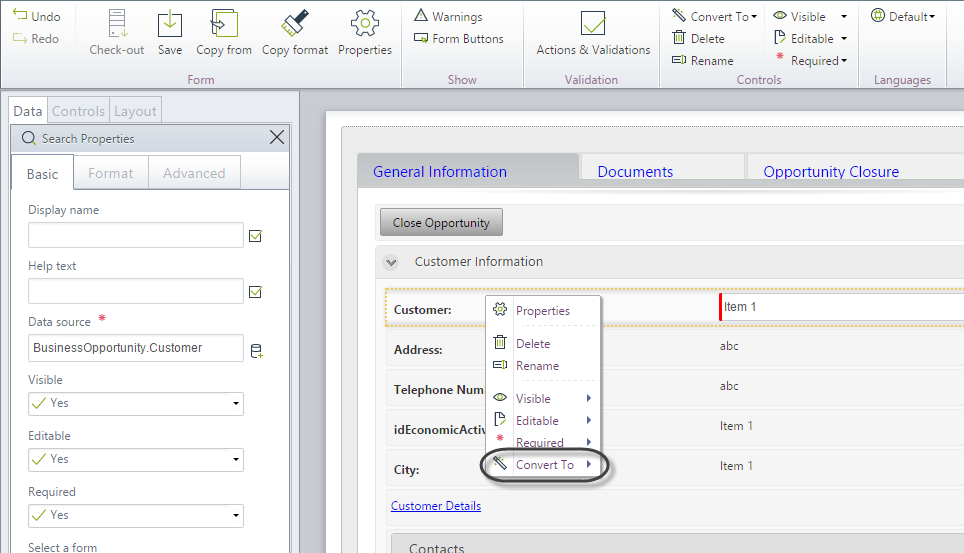
The list of permissible types, to which the current control can be converted, will be displayed. Select the desired type to convert the control.
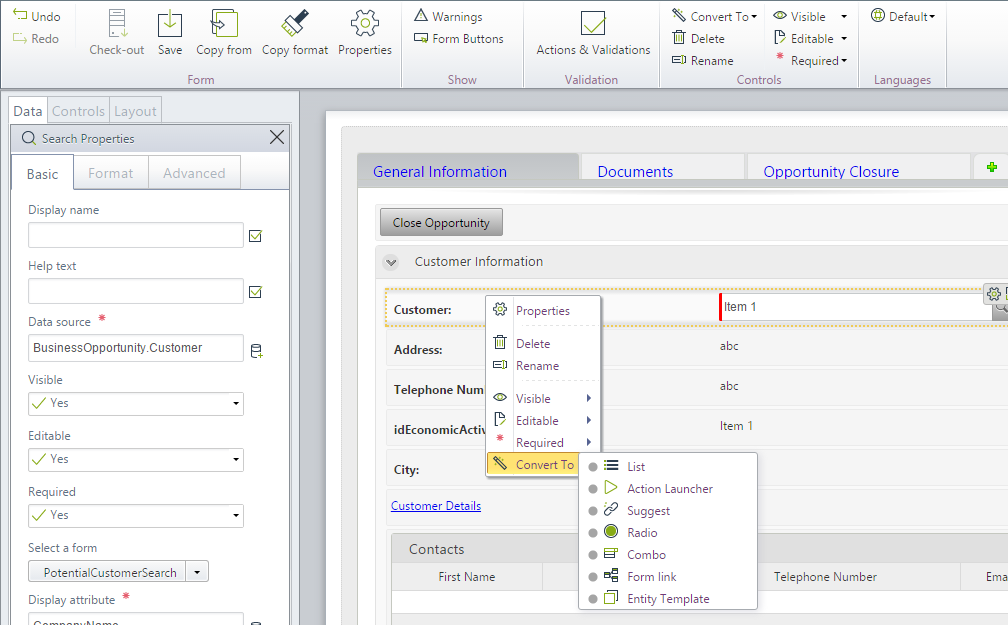
The following table shows the default control associated with each type of attribute as well as other available controls to which they can be converted to:
Attribute Type |
Default Control |
Available Controls |
|---|---|---|
Boolean |
Yes/No |
•Hidden •Yes/No |
Number (Integer, Real, tiny, etc) |
Number |
•Hidden •Money •Number |
Date-Time |
Date |
•Hidden •Date |
Currency |
Money |
•Hidden •Number •Money |
String |
Text box |
•Hidden •Geolocation •Text box |
File |
File upload |
•File upload |
Image |
Image |
•Image |
Parameter Entity |
Combo |
•List •Action Launcher •Suggest •Radio •Search •Cascading Combo •Form link •Combo •Entity template |
Master Entity |
Search |
•List •Action Launcher •Suggest •Radio •Combo •Cascading Combo •Form link •Search •Entity template |
Collection |
Table |
•Table |
|
A control can be converted to any of the available Controls (including the default) time and time again. For example, if you converted a Search Control for a Master Entity into a List, you can convert this List back to the Search or into any other of the available controls (i.e., Suggest, Radio, Combo, Cascading combo, Form link). |

Last Updated 1/6/2022 11:28:21 AM