Overview
Running your processes in the Work Portal is a crucial part of the development cycle since this is the way you can be sure that your processes are working as expected. This article explains all the important considerations you must have when running your Work Portal from Studio Cloud Services.
You must have at least one environment for each of your projects. Developers using Bizagi Studio can build and test your processes from any place, at any time, and reflect all changes to everyone.
How to run your Studio Cloud Services project on the Cloud
The first time you run your project, you must link it with a cloud environment. Follow these steps to associate your project with a free environment.
|
Before linking a project with an environment keep in mind that you can only relate one project to one environment. If all your environments are linked to a project you need to buy a new environment. |

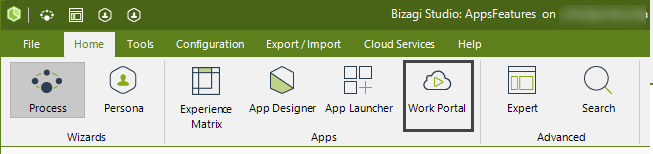
1.In the Home tab, Click Work Portal located in the Home tab.
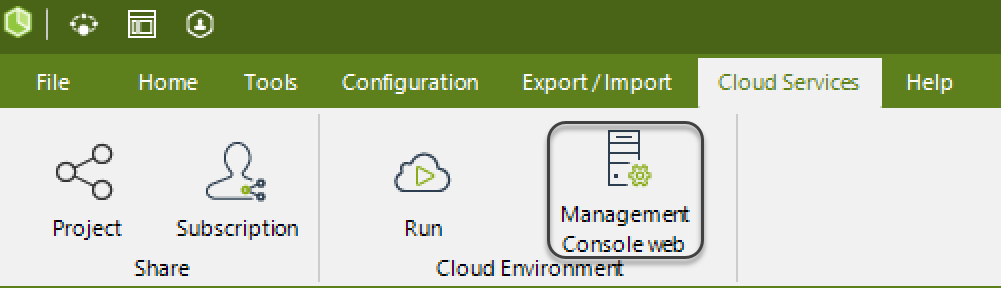
Furthermore, in the Cloud Services tab the Management Console button appears to let you start the console where you can administer Development environments. For more information, refer to Management Console.
.
Last Updated 5/21/2026 3:56:40 PM