Overview
Bizagi offers a function to transform files stored in Bizagi into Base64 encoded strings. This transformation is typically required when consuming services or interfaces that expect file content to be sent as Base64 instead of binary data, such as when using Bizagi’s SOA layer.
To transform file data to Base64, use the following function, which returns a value of type String:
CHelper.ToBase64(data)
The following parameters are needed:
•data: The binary data of a file stored in a File-type attribute.
Example
In the following example, assume there is a process entity named OfficeSuppliesRequest, which uses the following data model:

All documents received in the case are stored in the Request Summary File-type attribute. This information must be sent to another system through a web service, which requires the file content to be provided as a Base64 string. Only one summary file is allowed per case.
To be able to map the Base64 value in an interface, the result must be stored in a String attribute. In this example, the Base64 value is saved in the SummaryBase64 String attribute, which is later mapped as an input parameter of the service.
The expression is as follows:
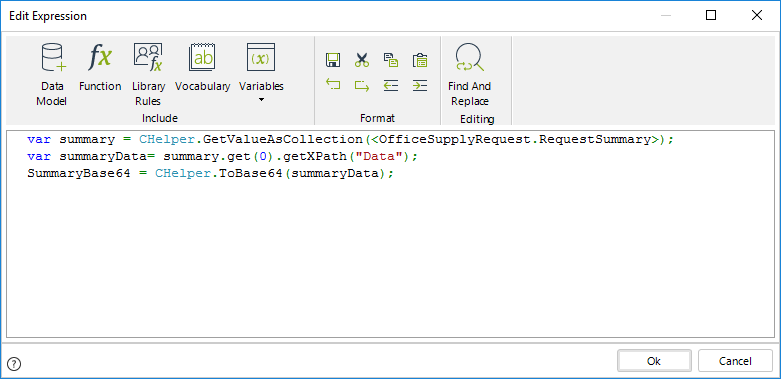
var summary = CHelper.GetValueAsCollection(<OfficeSuppliesRequest.RequestSummary>);
var summaryData = summary.get(0).getXPath("Data");
<OfficeSuppliesRequest.SummaryBase64> = CHelper.ToBase64(summaryData);
This expression retrieves the collection of files stored in the Request Summary attribute, accesses the file data, converts it to Base64, and stores the resulting value in the SummaryBase64 String attribute. Once stored in an attribute, this value can be mapped and sent through an interface or connector.
Last Updated 4/21/2026 12:30:48 PM