Overview
Bizagi generates a log of the Work Portal usage by event type and user.
Events tracked are: Login, Logoff, Failed Login, Change Password, Change Password Failed, Password Reminder, Password Reminder Failed, Lock Account, and Expire Account.
The Authentication Log Query provides information about events triggered by end users when interacting with the Work Portal, including the date and type of the event, the public IP address used to access the internet, and other related information.
|
When using authentication methods other than Bizagi Authentication, the logged events are Login, Logoff, and Failed Login. This is because the authentication method delegates the information to another application or system. |

Perform an Authentication Log Query from the Work Portal
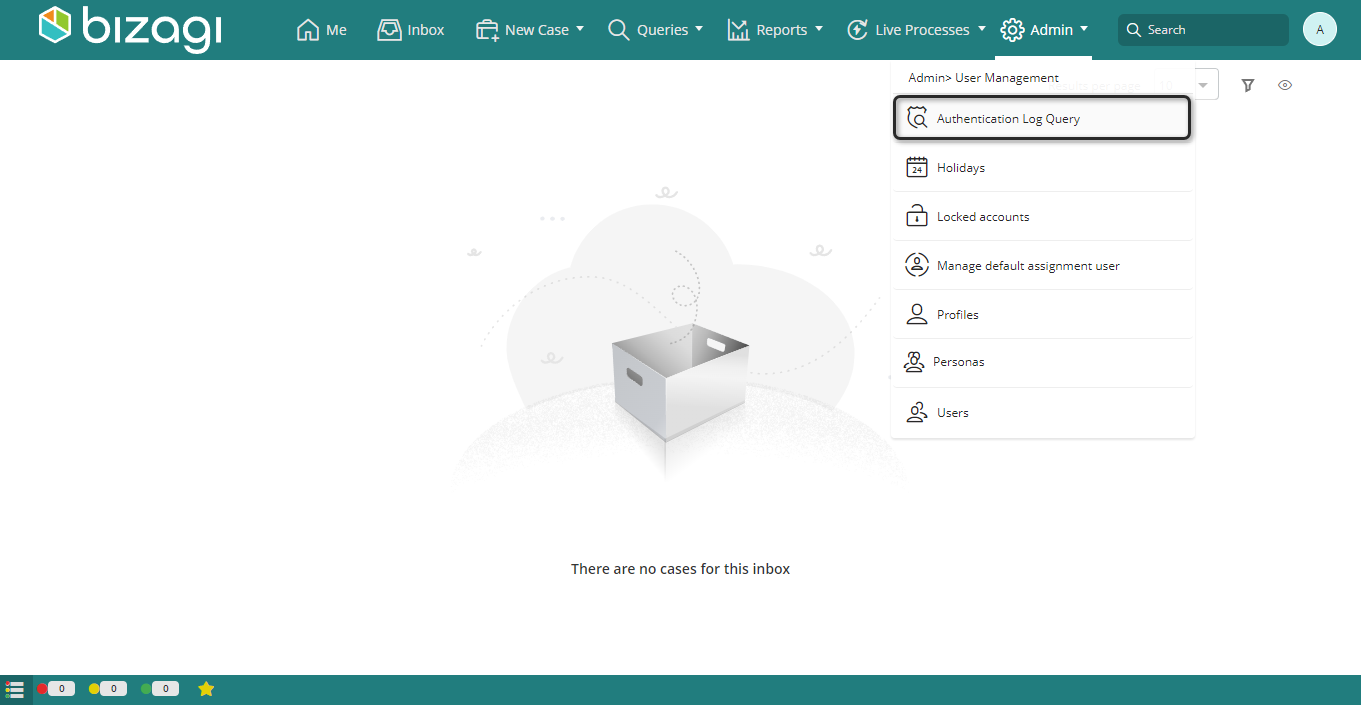
1. Click the Admin menu. Open the User management category and select Authentication Log Query.
The Authentication Log Query window appears.
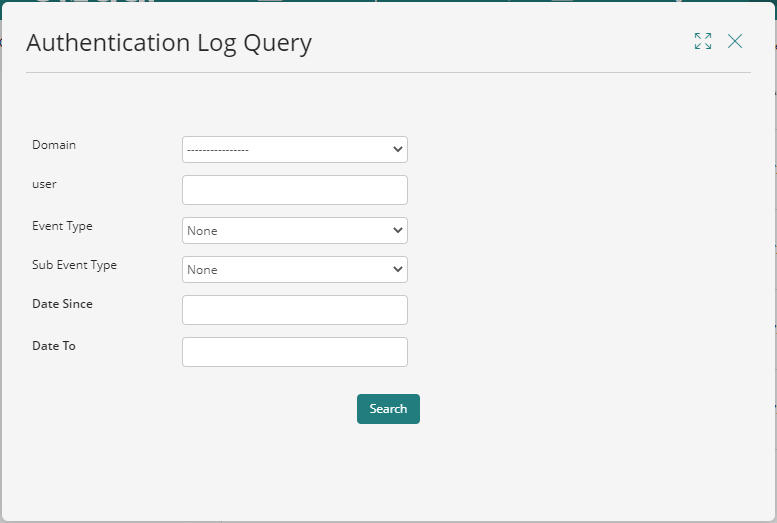
2. Authentication Log Query provides several controls that serve as search criteria.
Bizagi retrieves all events that match the selected values. If fields are left blank, the search ignores those parameters.
The following fields are available as filters:
•Domain: Domain selected by end users when logging in to the Work Portal.
•User: User interacting with the Work Portal.
•Event Type: Event performed in the Work Portal. Possible values are: None, Login, Logoff, Failed Login, Change Password, Change Password Failed, Password Reminder, Password Reminder Failed, Lock Account, and Expire Account.
•Sub Event Type: Further description of the event performed. Possible values are: None, Locked Account, Expired Account, Invalid Password, Invalid Policy, User not Found, User not Enabled, and Invalid Answer.
•Date Since: Lower limit of the date when the event was performed.
•Date To: Upper limit of the date when the event was performed.
3. Click Search.
Bizagi retrieves the information that matches the defined criteria and displays it in a table.
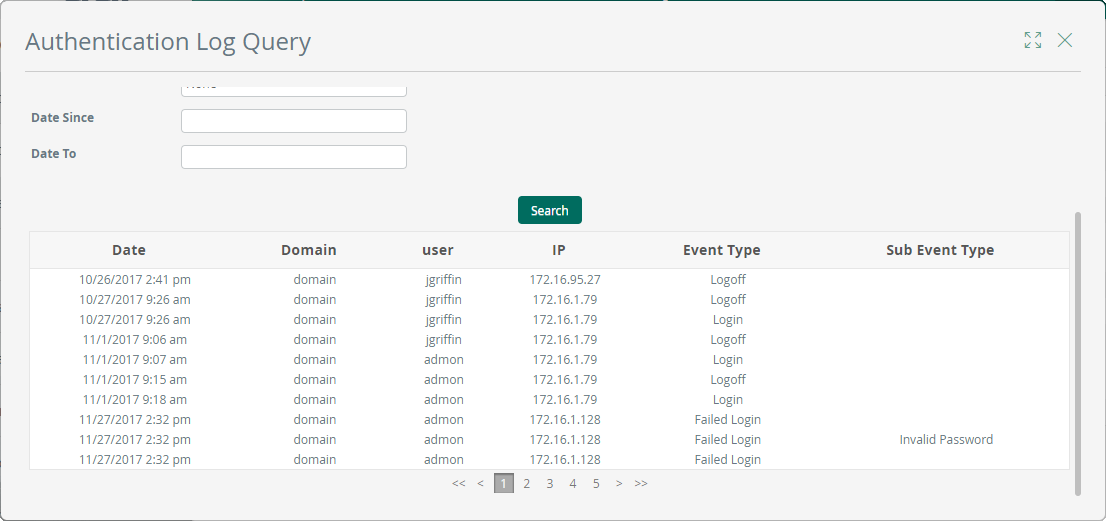
The following columns are available in the results table:
•Date: Date when the event was performed.
•Domain: Domain of the user who performed the event.
•User: User who performed the event.
•IP: Public IP address used by the device to access the internet when the event was triggered.
•Event Type: Type of the event performed by the user
•Sub Event Type: Further description of the event performed by the user.
Last Updated 10/13/2026 4:36:26 PM