Overview
You can use pipelines in specific scenarios to execute and reuse different Bizagi elements. Understanding these scenarios helps you determine when a pipeline fits your process requirements. This article explains when to use pipelines and the best practices and considerations for configuring them.
When to use Pipelines
You can execute different Bizagi elements through either a pipeline or individual activity actions. However, pipelines can be more useful in scenarios that involve execution conditions or reusable configurations.
Using an execution condition
When you need to invoke a specific action only if a condition is met, such as a business condition, you can use a pipeline to define an execution condition for that action. The pipeline evaluates the condition to determine whether to execute the action.
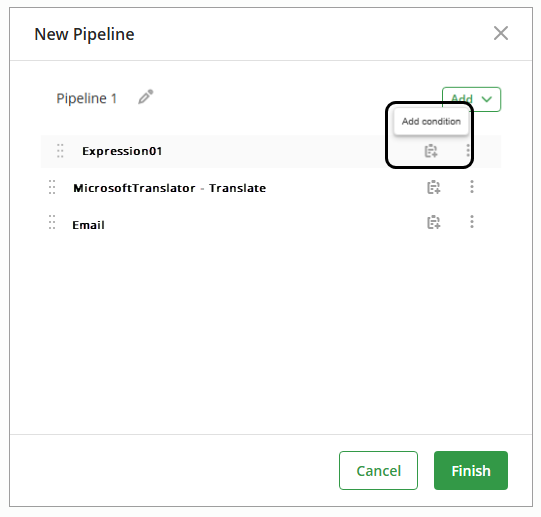
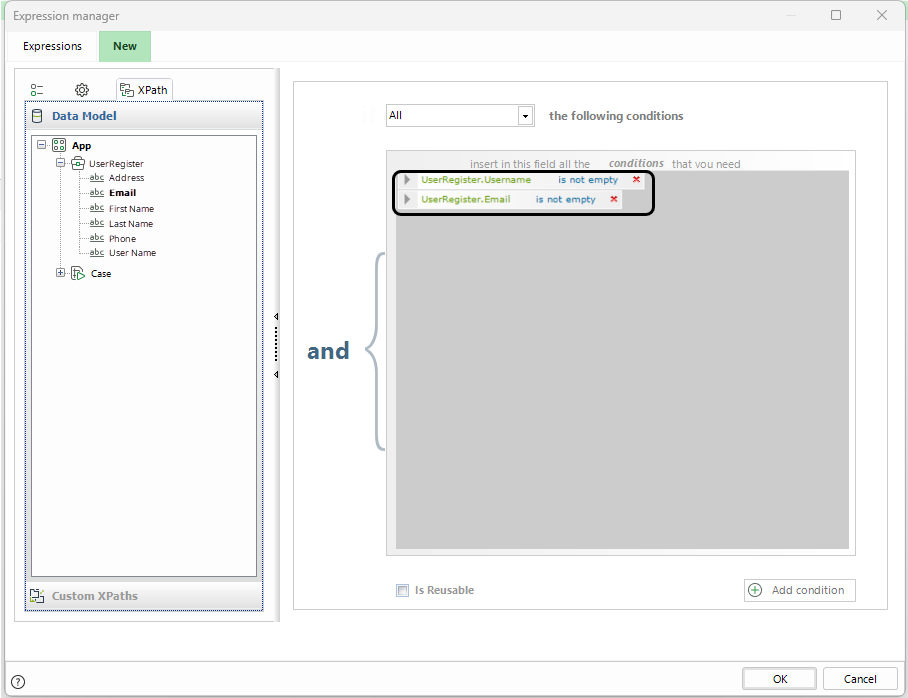
For example, consider a subscription process in which a user enters a username and an email address to receive a confirmation email.
You can add an execution condition to prevent the pipeline from sending the confirmation email if the user does not enter a username and an email address in the form.
Email reusability
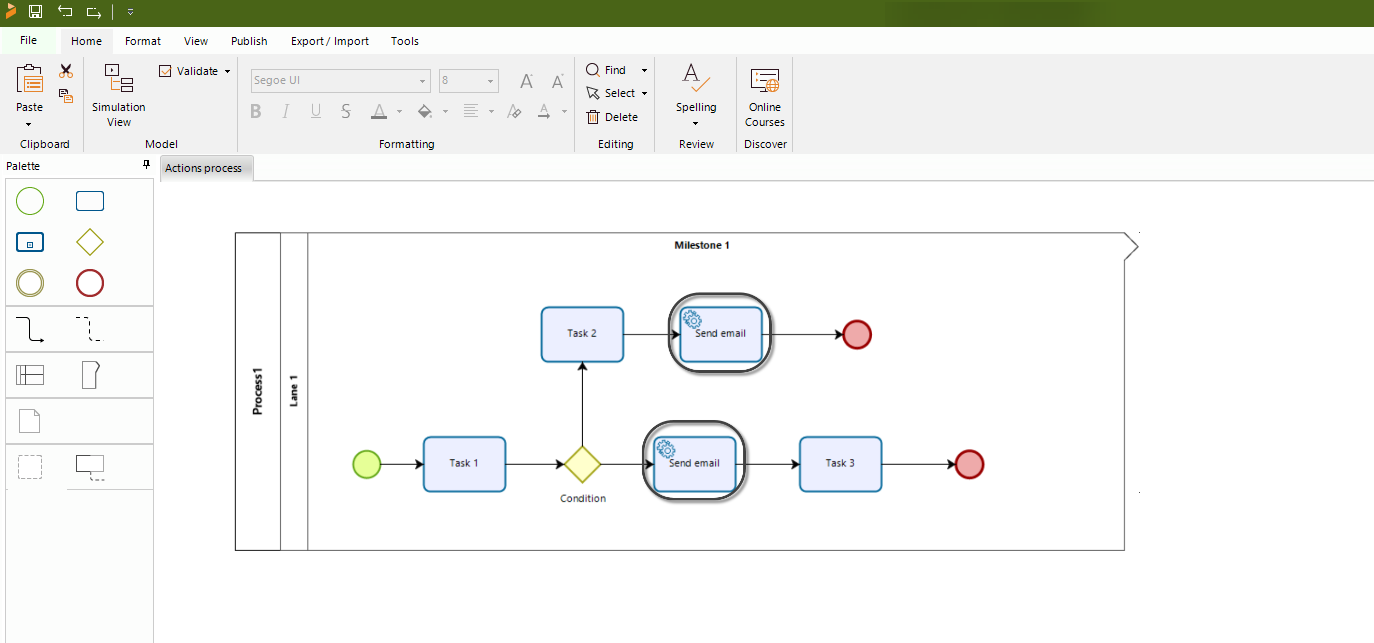
When you need to send the same email from two or more tasks in your process, you can configure it separately through activity actions or configure it once in a pipeline and reuse that pipeline.
Activity actions vs. pipelines
You must configure an email-type activity action in each service task that needs to send the email. Activity actions are not reusable, so you must configure the same email separately in every service task that needs it, whether your process has two or more such tasks.
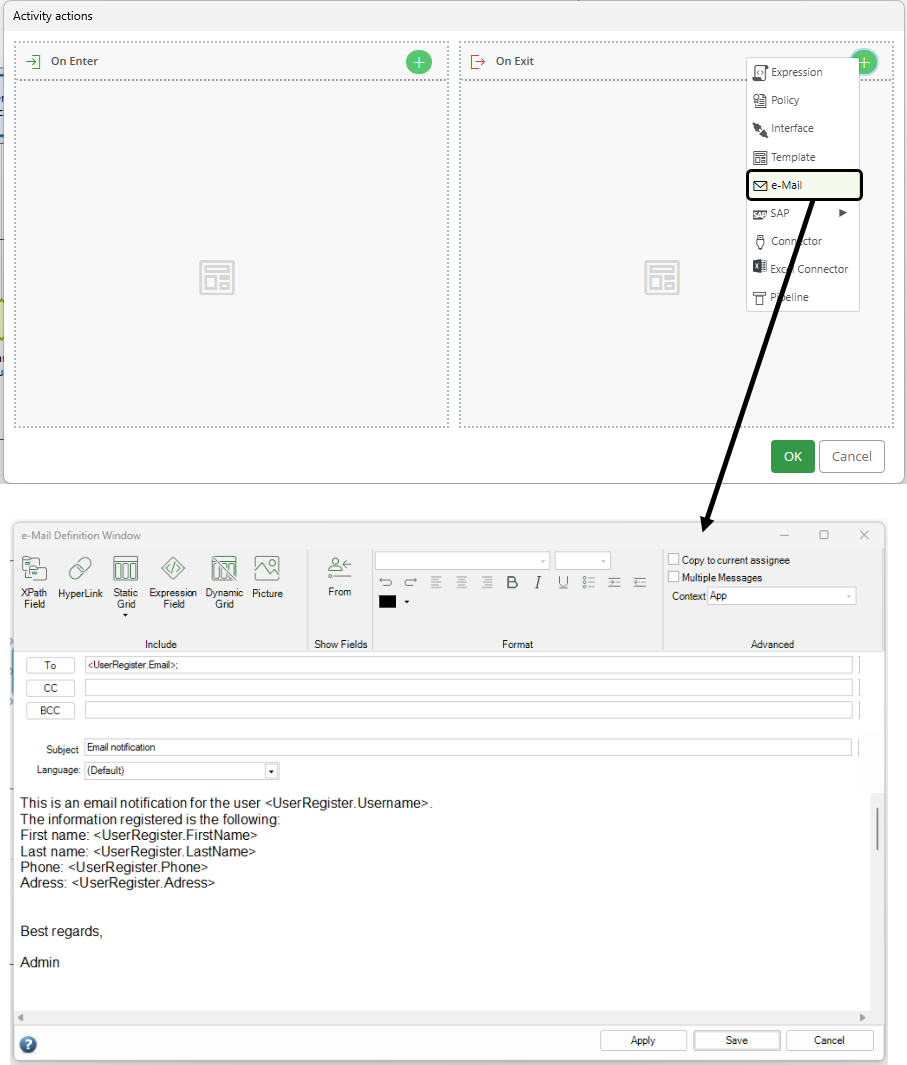
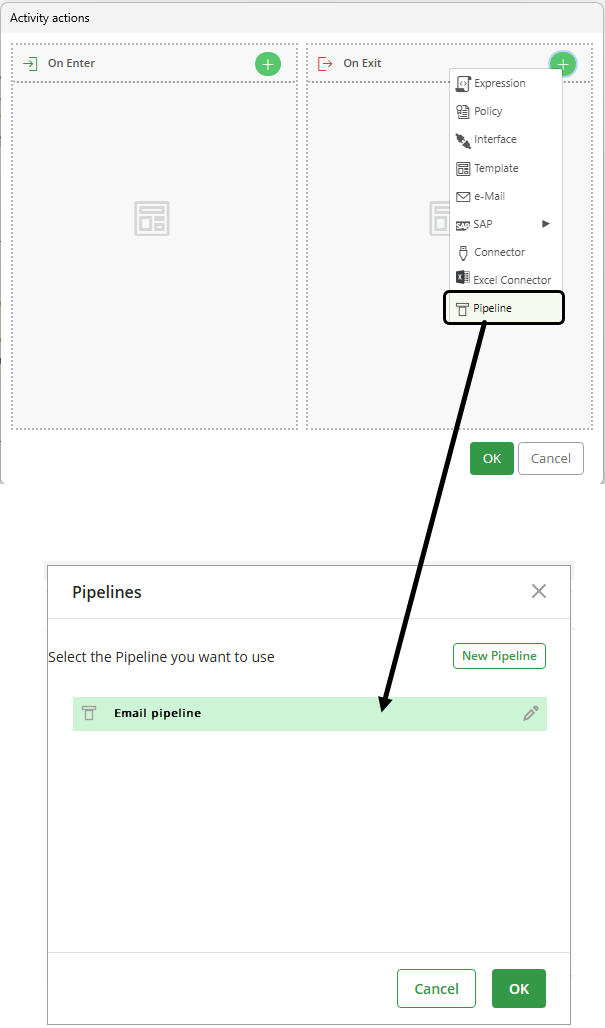
Alternatively, you can configure the email once as part of a pipeline. Because the pipeline contains the email configuration, you can reuse it in each activity that needs to send the same email instead of configuring a separate email-type Activity Action for every service task.
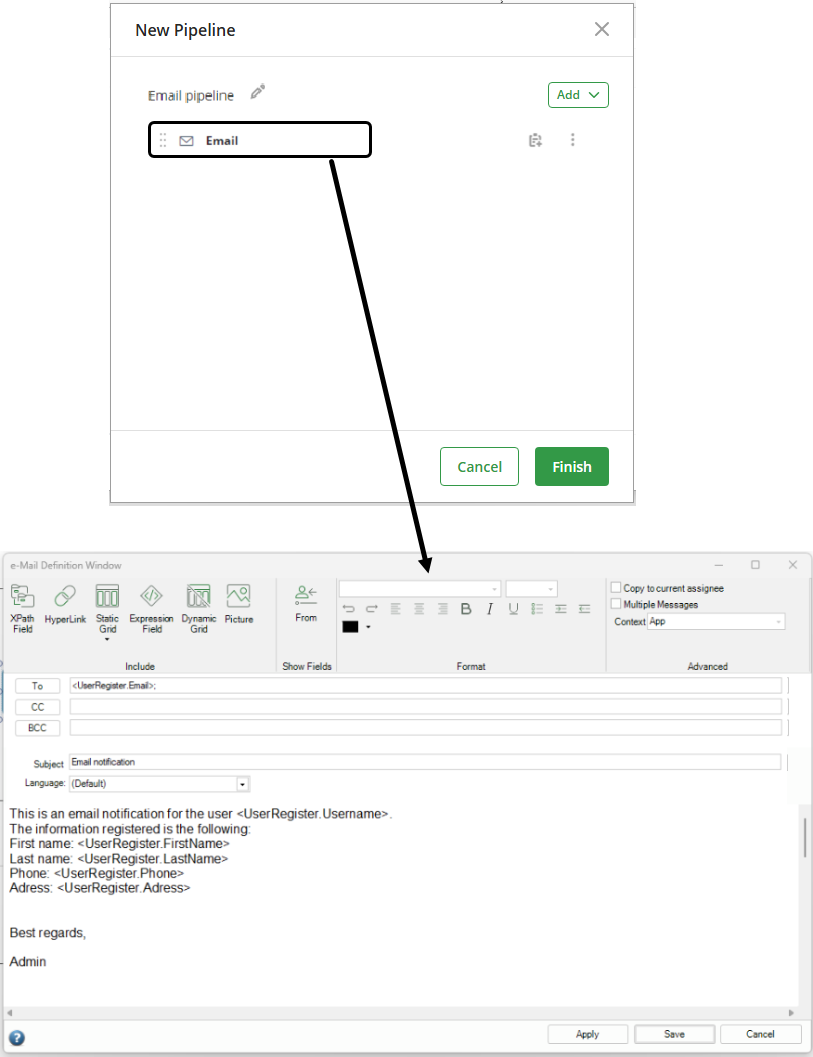
You can then reuse the same pipeline in every activity that needs to send the email.
Pipelines best practices and considerations
When working with pipelines, consider the following best practices:
1.Synchronous vs asynchronous tasks for pipelines
Pipelines can be defined in both synchronous or asynchronous tasks. However, if your pipeline includes elements that connect with external systems, it is recommended to use asynchronous tasks to handle the retries.
2.Retries in pipelines
When a pipeline that is configured as an asynchronous activity and fails, the complete task is retried, not only the element that failed.
3.Pipeline failure
If an element fails during pipeline execution, Bizagi does not execute the subsequent elements or roll back the elements that executed successfully.
4.Combining elements in pipelines
Because Bizagi retries the complete task, consider the following consequences when combining elements:
oIf the pipeline includes multiple connections to external systems, Bizagi retries the invocations that occurred before the failure.
oIf the pipeline combines internal Bizagi elements, such as business rules, with external elements, such as connectors, either type of element may execute more than once, depending on its position in the pipeline.
oIf the pipeline combines an email with another element, Bizagi may send the email each time it retries the task, depending on the position of the email in the pipeline.
Last Updated 10/13/2026 11:11:44 AM