Overview
A pipeline allows you to execute multiple Bizagi elements in a predefined sequence.
The elements that can be used within pipelines are:
•SAP Connectors
•Expressions
•Policies
•Templates
•E-mails
•Connectors
•Excel Connectors
•AI Agents
|
Pipelines are configured at the process level and can only be used in activities within that process. |

Before you start
Before configuring a pipeline, configure any SAP Connector, Excel Connector, or Connector that you plan to include. You can configure expressions, policies, templates, and emails while configuring the pipeline.
Creating a new Pipeline
To configure a pipeline, complete the following steps:
1.In Bizagi Studio, go to the Expert View, open the process where you want to create the pipeline, and click Pipeline.
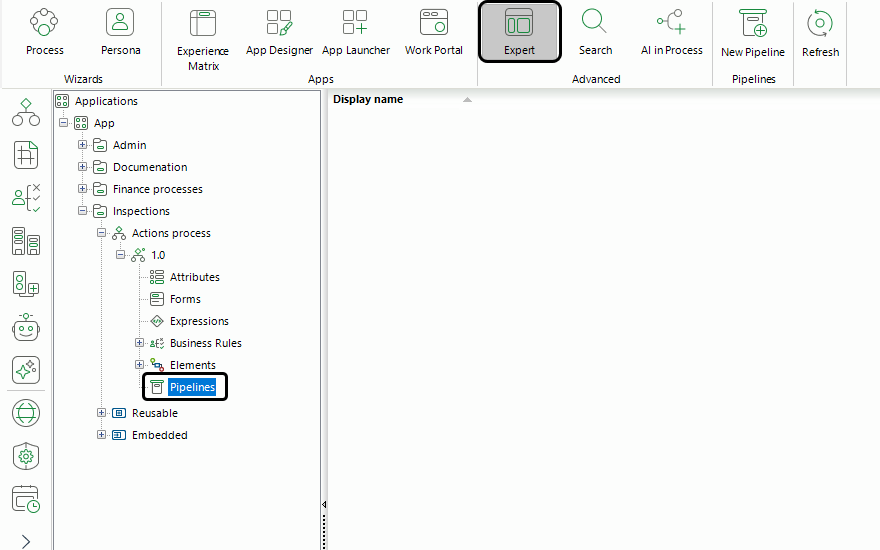
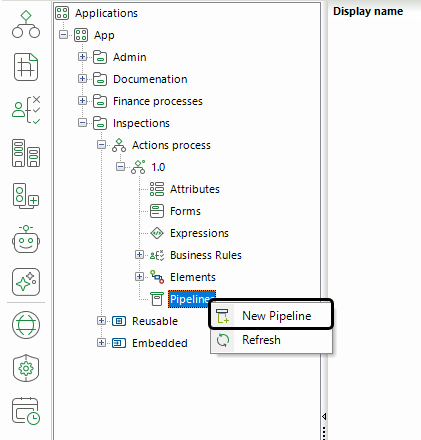
2.Click New Pipeline.
3. Enter a name for the pipeline.
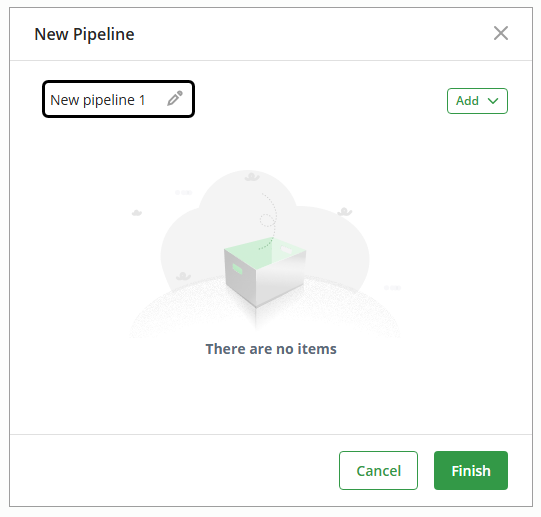
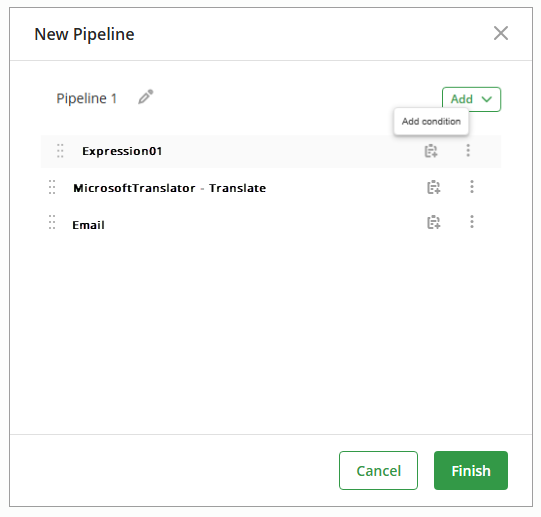
4.Click Add and select the action that you want to include in the pipeline.
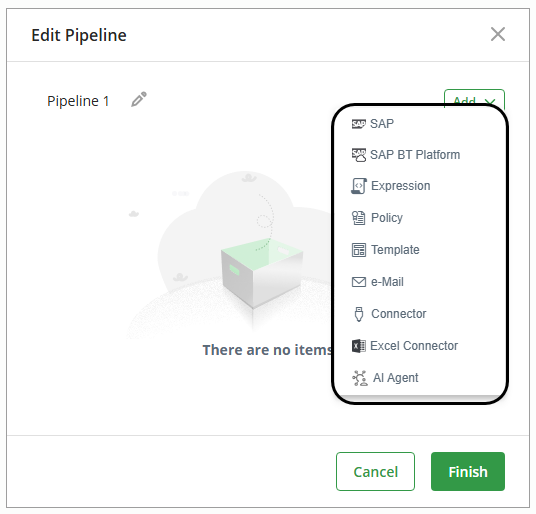
5.Or add the required actions to the pipeline from the available ones.
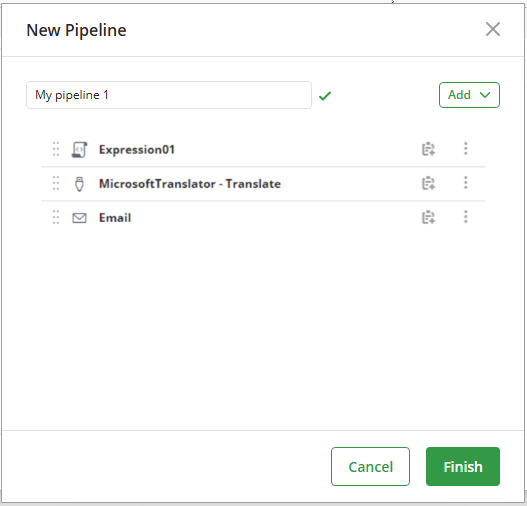
6.You can define an execution condition for each action in the pipeline. Each condition determines whether Bizagi executes its corresponding action when the pipeline runs.
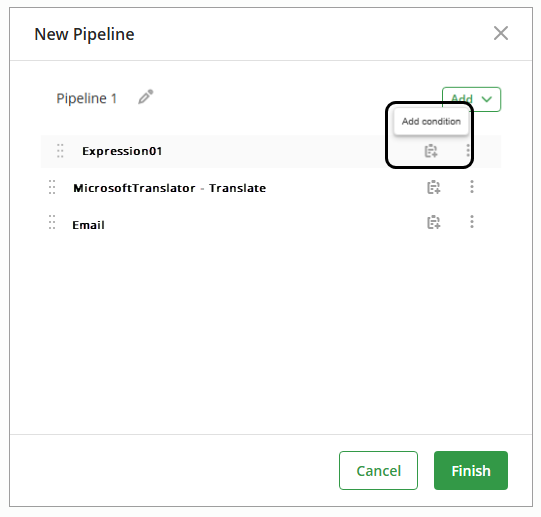
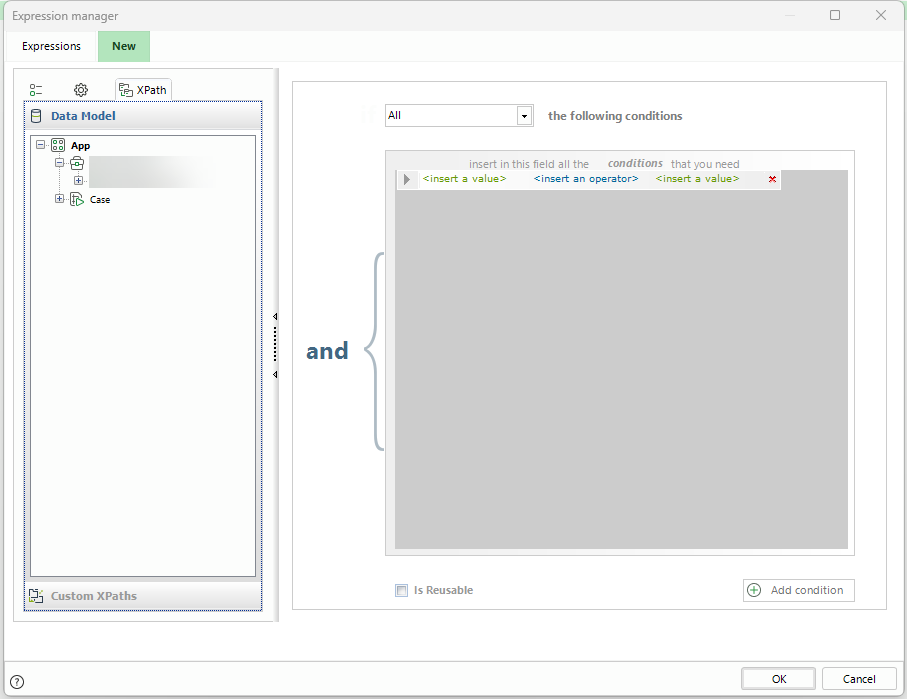
•Standard definition: define a condition (boolean expression through a custom Xpath) by dragging and dropping the elements from the data model.
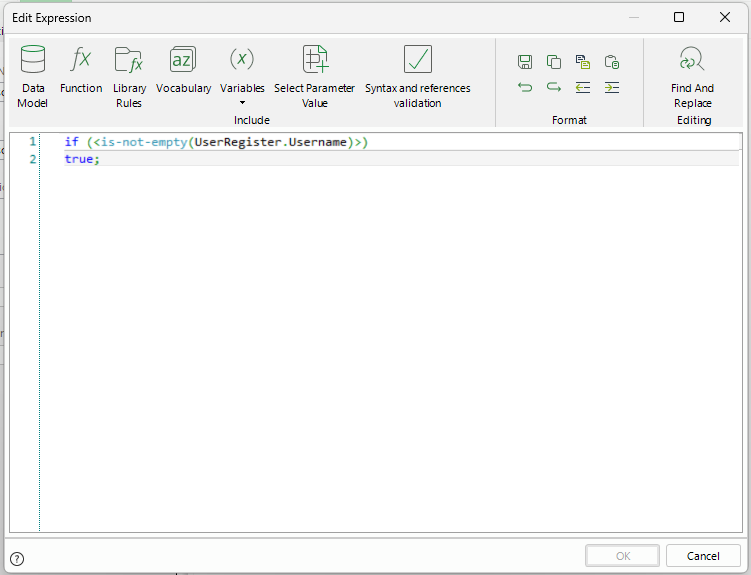
•Scripting: build an expression that returns a Boolean value. through the Expression manager.
|
Bizagi executes pipeline actions from top to bottom. You can change the order of the actions at any time by dragging and dropping them. |
7.When you finish configuring the actions, click Finish.
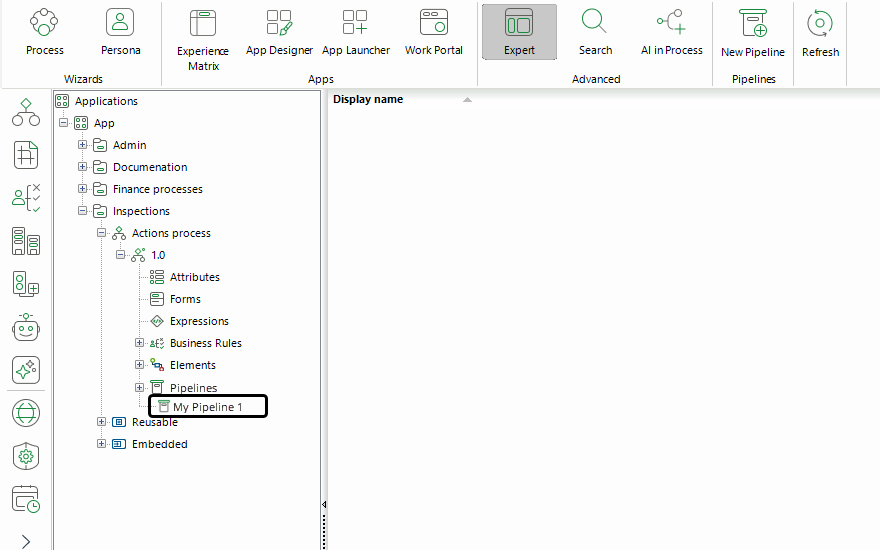
The pipeline appears in the Pipeline section of the Expert View.
Next steps
After creating a pipeline, configure it in an activity action to execute its actions during the process. To learn how to do this, refer to Configuring a pipeline in an activity action.
Learn about the scenarios where pipelines can be useful, as well as the best practices regarding this components. Refer Best practices in pipelines for more information.
Last Updated 10/13/2026 11:49:17 AM